
IRL Pro “Cannot Connect to Server” Error
On rare occasions you may come across an error within IRL Pro when trying to connect to our SRT servers.
The error will be “CONNECTION NAME: can’t connect to server”

This error is caused by the internal connection bonding logic and servers provided by IRL Pro. If you disable this, it will connect and work as intended.
Press the Cog on the top left of the screen

Press Connections

Long Press on the connection name with the tick next to it

The connection will look like this:
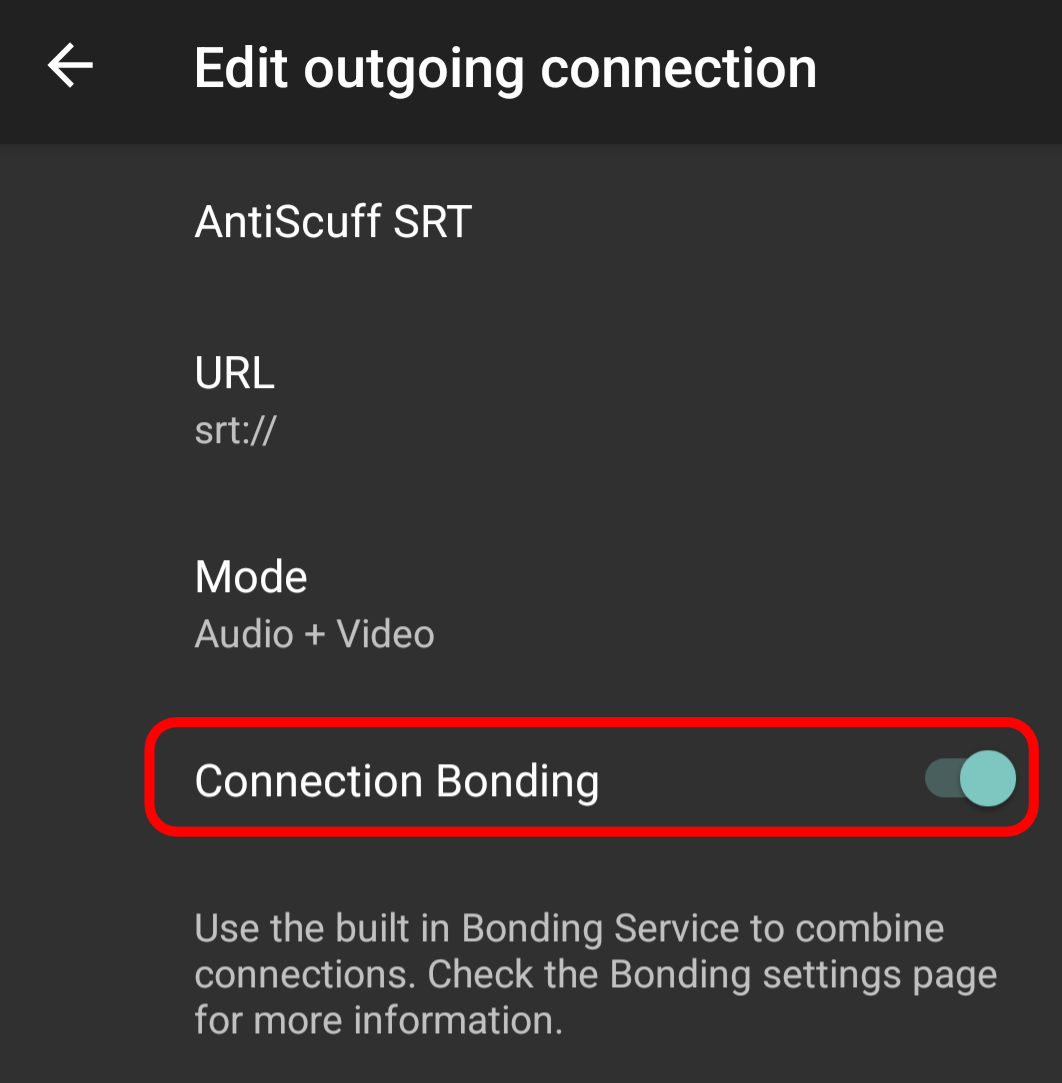
Disable Connection Bonding by pressing the word until the slider turns off and shows as below
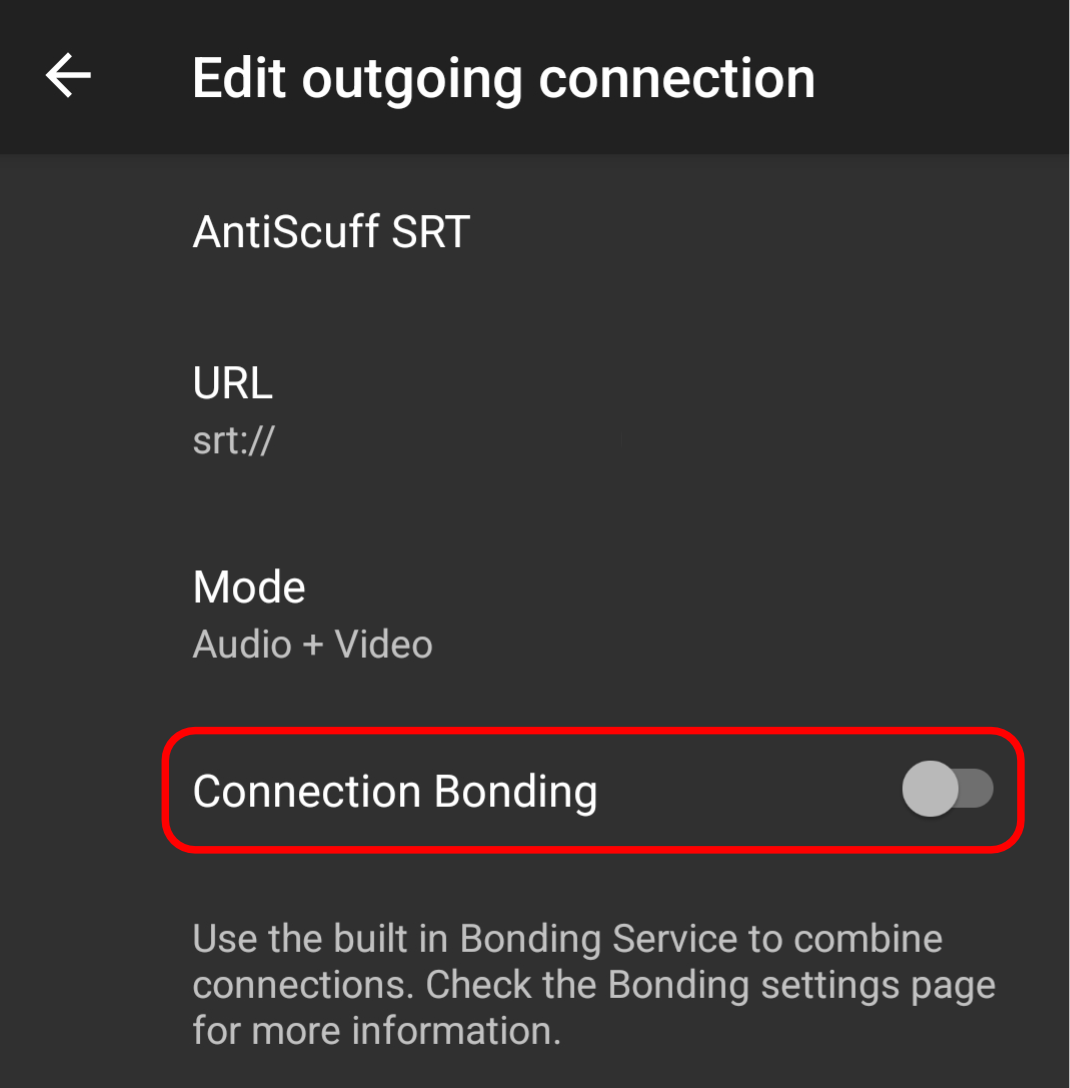
Reconnect to the server and it will connect as usual
Please Note: We HIGHLY recommend adding our SRTLA to your package and using that instead of SRT. This will prevent this issue from occurring. You can add this any time by logging into the Client Portal, clicking on your active package, selecting Upgrade/Add-Ons and then picking BELABOX Cloud SRTLA. Remote Desktop users have this included – please raise a ticket if this is not showing for you.